Mask-border-width - CSS Property
Summary of characteristics of the mask-border-width property
SVG: containers except defs, graphic elements, use.
autoautoDiscrète: during an animation, the mask-border-width property passes from one value to another without transition.Per grammar: serialization in the order of syntax.Syntax diagram of mask-border-width.
mask-border-width property.The links in the diagram provide more details about the values.
Download the diagram.
In the diagram, the bold terms are the predefined words of CSS, the other terms are described below:
lengthis a numeric value followed by one of CSS dimension units.%is a percentage calculated based on the width or height of the element.numberis a number without a unit.
Description of the mask-border-width property.
mask-border-width: -webkit-mask-box-image-width,
but on Firefox  there’s no equivalent.
Edge masking is an operation that involves hiding the outline of an element using a mask, which is most often a png image.
This image is divided into nine areas: four for the corners, four for the sides, and one for the center of the element (see mask-border-slice).
Where the mask is transparent, the element is hidden; where it’s opaque, the element is visible. Of course, a semi-transparent mask gives medium visibility.
It’s also possible to process masks based on their luminance.
The property mask-border-width indicates the thickness of the area where the mask pattern will be applied.
If mask-border-slice gives a smaller dimension than mask-border-width, the relevant mask area is expanded. It's reduced otherwise.
The value of mask-border-width can possibly be calculated based on the thickness of the element's border.

mask-border-width:20px;(simulation)
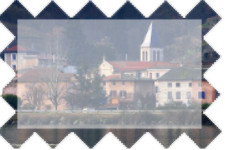
mask-border-width:30px;(simulation)
Here are the properties that play a role in border masks:
mask-border-width:Values for mask-border-width.
- mask-border-width: auto;
With
auto, the mask's application area automatically adjusts to the size of the mask defined bymask-border-slice. - mask-border-width: 8px 5px 8px 20px; a b c d
The area applies the mask at the exact indicated thickness. The mask expands or contracts to fit.
From one to four values can be indicated with the following correspondence:
- A single value, it applies to all sides.
- Two values, the first applies to the horizontal edges, the second to the vertical edges.
- Three values: the first value applies to the top edge, the second to the right and left edges, and the last to the bottom..
- Four values: they are applied successively to the four sides, starting from the top and going clockwise..

A single value.
Two values.
Three values.
Four values.If these are percentages, they are calculated relative to the element's width for the values
bandd, and relative to the height for the valuesaandc. Makes sense, but it creates a weird effect: the element's width affects the vertical edges, while the height affects the horizontal edges.On this elementmask-border-widthis10%. The calculation relative to the width is curiously visible on the vertical edges of the element. - mask-border-width: 1 2 2 1;
From one to four numbers without units indicate the ratio between the thickness of the mask action area and the border. The correspondences depending on the number of values are the same as before.
- mask-border-width: initial; (
auto) mask-border-width: inherit; mask-border-width: revert; mask-border-width: revert-layer; mask-border-width: revert-rule; mask-border-width: unset;See the following pages for more details:
initial,inherit,revert,revert-layer,revert-rule,unset.
Animation of the mask-border-width property.
Animations don't work in Firefox , and for other browsers, we used the non-standard property -webkit-mask-box-image-width.
But with these precautions, it's possible to animate the mask-border-width property. The animation happens continuously.

Simulator.
The mask used is this one. It is cut by mask-border-slice into nine parts of 20 pixels each.
The element's border is 1 pixel thick, in case you want to test the syntax with numbers without units.
60px
│

Browsers compatibility with mask-border-width.
For now, browsers don't handle edge masking technique well enough (2026). On some browsers, you can use the non-standard property
-webkit-mask-box-image-width instead of mask-border-width. On Firefox , there is no equivalent.
mask-border-width property, which defines the size of the mask.Notes:
(1) Unrecognized property. Instead, use the non-standard property -webkit-mask-box-image-width.
mask-border-widthpropertyBrowsers on computers :
Mobile browsers :
Outdated or marginal browsers :

Internet Explorer

UC Browser pour Androïd

Opéra Mobile

QQ Browser

Baidu Browser

Samsung Internet

Chrome

Edge

Chrome pour Androïd

Androïd Brower

Firefox pour Androïd

Safari

Safari sur IOS
Firefox

KaiOS Browser

Opéra

Opéra mini
Historic of the mask-border-width property.
-
CSS Masking Module Level 1
This specification module describes two ways to partially or completely hide portions of visual elements: masking and clipping.
Masking involves using another graphic element or an image as a mask.
Clipping describes the visible region of visual elements. The region can be described using certain SVG graphic elements or simple shapes. Anything outside this region is not rendered.Regardingmask-border-widthIntroduction of the propertymask-border-widthand all properties related to masking elements. November 15, 2012Working Draft.
 August 26, 2014Candidate Recommendation.

See also, about masking techniques.
The specification that standardizes everything related to masking is called CSS Masking Module.
The property mask-border-width is described there, as well as the ones below:
Properties:
