Mask-border - CSS Property
Summary of characteristics of the mask-border property
SVG: containers except defs, graphic elements, use.
nonePer grammar: serialization in the order of syntax.Description of the mask-border property.
 it's completely impossible for now.
On browsers using
it's completely impossible for now.
On browsers using webkit, we've used the equivalent properties starting with -webkit-mask-box to make the examples work.
The property mask-border is a shorthand property that defines all the border masking settings.
The difference between edges masking and classic masking (see the mask property) lies in how the mask adapts to the dimensions of the element
being masked: with classic masking, you can only repeat or stretch the mask to cover the entire element. Edge masking is trickier: only the parts of
the mask linked to the sides of the element are stretched or repeated to fit the element's length or width.
mask-border lets you set a mask for each corner, one for each side, and one for the inside of the element.
All these mask parts are grouped into a single image, divided into 9 parts, not necessarily of the same size.
top left corner.
the top edge.
top right corner.
left edge.

right edge.
bottom left corner.
bottom edge
bottom right corner.
The edge masks don't follow the corner curves.
Here's how to draw a petit beurre (a small cookie from Nantes). We cheated a little: we added shading to make it look more realistic.
It's a simulation so that even Firefox users can see the result.
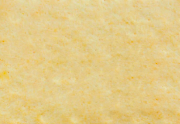
The original element.

the mask (90 pixels on each side).
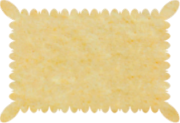
The result.
(simulation)
Here are the properties that play a role in border masks:
mask-border:Values for mask-border.
- mask-border: none;
No edge mask is applied.
- mask-border: <source> <slice> / <width> / <outset> <repeat> <mode>;
The shorthand property accepts all the detailed property values it groups together. The preferred order is shown above, but it doesn't really matter. However, the
/characters are required beforewidthandoutset.
Values not mentioned are reset to their initial value. - mask-border: initial; (
none) mask-border: inherit; mask-border: revert; mask-border: revert-layer; mask-border: revert-rule; mask-border: unset;Common values are presented on these pages:
initial,inherit,revert,revert-layer,revert-rule,unset.
Examples with the mask-border property.
These examples don't work on Firefox .
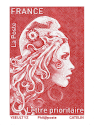
Create the cutting teeth of a French stamp.
Here’s how to get a French postage stamp from an image. This one has regular edges as shown in the first example. By applying an edge mask, the perforations appear.
Make a photo look old with mask-border.
Old photos often have uneven edges, caused by the cutting tools at the photographer's and the fact that the paper doesn't cut well. They also have a yellowish tint called sepia.

Animation of the mask-border property.
The mask-border property can be animated. Check out the individual properties for examples.
Browsers compatibility with mask-border.
For now, browsers don't handle edge masking techniques well enough (2026). Firefox in particular is lagging behind. On other browsers, you can use
the -webkit-mask-box-image property instead of mask-border.
mask-border which defines the main features of edges masks.Notes:
(1) Uses the non-standard -webkit-mask-box-image property.
mask-borderproperty
Browsers on computers :
Mobile browsers :
Outdated or marginal browsers :

Internet Explorer

UC Browser pour Androïd

Opéra Mobile

QQ Browser

Baidu Browser

Samsung Internet

Chrome

Edge

Chrome pour Androïd

Androïd Brower

Firefox pour Androïd

Safari

Safari sur IOS
Firefox

KaiOS Browser

Opéra

Opéra mini
Historic of the mask-border property.
-
CSS Masking Module Level 1
This specification module describes two ways to partially or completely hide portions of visual elements: masking and clipping.
Masking involves using another graphic element or an image as a mask.
Clipping describes the visible region of visual elements. The region can be described using certain SVG graphic elements or simple shapes. Anything outside this region is not rendered.Regardingmask-borderIntroduction of image masking techniques. And first definition of the corresponding properties including themask-borderproperty. November 15, 2012Working Draft.
 August 26, 2014Candidate Recommendation.

See also, about masking techniques.
The specification that standardizes everything about masking is called CSS Masking Module. It describes the mask-border property and
the properties below:
Properties: